Thursday, June 26, 2014

android ကုိ လန္းမယ္ သူငယ္ခ်င္း

ဒီလို​ေလးလန္​ခ်င္​လား လုိခ်င္​ရင္​​ေတာ့​ေအာက္​့မွယူသြားပါ

Download


Monday, March 31, 2014

WinX HD Video Converter Deluxe 5.0.2+Keys Full


                                      @.SUCCESS YOU.@   
                            WinX HD Video Converter Deluxe,
               all-in-one video software          as HD video converter, 
  DVD burner and YouTube                           online video downloader,
 can give you ultimate                                       control over your video
 files. With 160 video                                               codecs and 50
 audio codecs packed in,                                                 it owns
 powerful capability to meet
 all your video conversion requirements
      without assistance of any third-party codec.
              This video software enables you to convert
                      between all mainstream video formats, including
                                  High Definition video MKV, M2TS, MTS, AVCHD,
                                          H.264/MPEG-4 AVC, and regular video AVI,
 RMVB, WebM,                           Google TV, etc. Moreover, it features
 unique technology                            to support Multi-track HD videos
  available in BDAV, M2TS,                          MKV, AVCHD, HDTV and
   MPEG-TS formats. Thus, without         a second thought about format 
        compatibility, you can play your videos with all Windows
                  media players, Surface Tab, iPhone/5/4S
                       , iPad/3/Mini, iPod/5, PSP, Android 
                                    and DVD player.
                                          soethu


Official Website:http://www.winxdvd.com/hd-video-converter-deluxe/

Instructions
 Install the app 
Register using any of the given serial keys.... 


           ေအာက္မွာေဒါင္းလုိက္ပါ  


Everybody Welcome. !!!!

         ေပ်ာ္ရႊင္ပါေစ သူငယ္ခ်ငး္.****

Saturday, March 29, 2014

Registry Winner 6.6.8.30 Full With Keygen


Registry Cleaner Software ေလးတစ္ခုပါဘဲ..သူလဲဘဲ System Cleaner ေတြထဲမွာ 3 Start အဆင့္ရထားပါတယ္.ကြန္ျပဴတာကိုေဆးေၾကာသန္႔စင္တဲ႔ ေနရာမွာေတာ္ေတာ္ေလးေကာင္းတဲ႔ ေဆာ့ဝဲလ္ေလးပါပဲ.. ကြန္ျပဴတာရဲ႕ Error အမ်ိဳးမ်ိဳးကိုေၿဖရွင္းေပးတဲ႔ Software ေလးပါ... သူ႕ရဲ႕ Features ေတြကေတာ့ေၿပာမကုန္ႏိုင္ေအာင္ပါပဲေအာက္မွာဖတ္ၾကည့္ႏိုင္ပါတယ္လိုအပ္သူမ်ား ေအာက္မွာယူသြားလိုက္ပါဗ်ာ..............

Registry Winner™ claims to be the most advanced technology in pc diagnosis and repair. It can do a complete scan of the pc errors such as system slowdown, freezing, crashing and deadlock. Safely optimize the speed of system and set your PC in a fantastic performance! Registry Winner™ is a top-ranking error-resolution technology which will fix the computer errors and optimize the system speed. Various annoying problems will gradually appear like slow speed, crashing or freezing, blue screen, deadlock, error messages etc. after your computer being used for a period of time.


FRIEND ေပ်ာ္ရႊင္ပါေစ....


Tuesday, March 25, 2014

WinUtilities Professional Edition v11.0


ကြန္ပ်ဳတာရဲ့စြမ္းေဆာင္ရည္ကိုျမွင့္တင္ႏိုင္တဲ့ tools ေပါင္း ၂၀ ေက်ာ္ပါဝင္တဲ့ system tweaking suite ျဖစ္ပါတယ္၊NTFS and FAT volumes မွာမွားဖ်က္မိတဲ့ဖိုင္ေတြကိုျပန္ေဖၚႏိုင္ပါတယ္၊ စက္ျမန္ဆန္ေအာင္မလိုအပ္တဲ့ဖိုင္ေတြကိုရွင္းလင္းေပးပါတယ္၊Registry ကိုစစ္ေဆးျပီး အမွားမ်ားေတြ့ရင္လည္းေျဖရွင္းေပးပါတယ္၊ Windows executable file ကိုလည္းလံုျခံဳတဲ့ password နဲ့ကာကြယ္ေပးပါတယ္၊Memory နဲ့ပတ္သက္တဲ့ျပႆနာကိုေျဖရွင္းဖို့ စက္ထဲက တူေနတဲ့(duplicate) ဖိုင္ေတြကိုရွင္းျပီး optimize လုပ္ေပးပါတယ္၊စက္မွာအလုပ္လုပ္ေနတဲ့ processes ႏွင့္ထည့္သြင္းထားတဲ့ ေဆာ့လ္ဝဲမ်ားကိုထိန္းခ်ဳပ္ႏိုင္ပါတယ္၊hardware and software ရဲ့အေသးစိတ္အခ်က္အလက္ကိုလည္း ေဖၚျပေပးရံုသာမက Windows Registry ကိုလည္း Back up နဲ့ restore ျပဳလုပ္ႏိုင္ပါတယ္။Log off, stand by, hibernate, သို့မဟုတ္ စက္ပိတ္မည့္အခ်ိန္ကိုသတ္မွတ္ေပးႏိုင္ပါတယ္၊Windows Settings ကိုထိန္းခ်ဳပ္ႏုိင္ျပီး ဒီေဆာ့လ္ဝဲရဲ့လုပ္ေဆာင္ႏိုင္စြမ္းအျပည့္အစံုကိုေအာက္မွာဖတ္ႏိုင္ပါတယ္၊

 WinUtilities is an award winning collection of tools to optimize and speedup your system performance. This suite contains utilities to clean registry, temporary files on your disks, erase your application and internet browser history, cache and cookies. It also supports to defragment your disk drives and improve computer performance and stability. Built-in StartUp Cleaner allows you to control startup programs that load automatically with windows, find duplicate files, fix broken shortcuts and uninstall unneeded software. Other features include secure file deletion, recycle bin shredding, system maintenance tasks scheduling and undelete deleted files.

WinUtilities Pro is a system tweaking suite that includes more than 20 tools to improve and tweak your PC's performance. It offers an attractive and easy to use interface that organizes all tasks into categories and provides graphical statistics whenever possible. The tools include Junk File Cleaner, Registry Cleaner, Memory Optimizer, System Information, Registry Backup, File Encryption, Safe Uninstaller, Duplicate File Finder, File Shredder and much more. WinUtilities also includes an Internet Tracks Eraser with Cookie Manager and Secure Deletion. Overall, a great bundle that offers a wide range of system tools with extra benefits which are not easy to find.

Download Here


***** ေပ်ာ္ရႊင္ပါေစ ...*****

Thursday, February 13, 2014

Wireless Connection တစ္ခုလံုးက Internet Speed

ကို မိမိတစ္ေယာက္တည္းလိုင္းပိုေကာင္းေအာင္ ဘယ္လိုလုပ္မလဲ ?  
WirelessConnection                 တစ္ခု ကိုဆယ္
ေယာက္ ေလာက္အတာ         ၀ိုင္းသံုး ေနတယ္..
အဲဒါဆိုရင္လိုင္းကေတာ    ေႏွးေနတာေနမွပါ..
ဒီလို၀ိုင္းသံုးေနတဲ့ၾကား  ထဲကမွအဲဒီအင္တာနက္
လိုင္းအကုန္လံုးကိုမိမိတစ္ဦးတည္း
ပိုေကာင္းေစဖို႕အတြက္နည္း
လမ္းေလးေဖာ္ျပ ေပးလိုက္ပါတယ္..
စမ္းၾကည့္ပါ              ရွယ္အက်ိဳးထူးပါလိမ့္မယ္..
1) Right Click on Computer >     Device Manager
2) Scroll down,expand         the Network Adapters list,
  and Double Click                            your WiFi Adapter.
3) Then Click Advanced tab to show all available modifications.
4) Select the property called Speed & Duplex and change the Value from Auto Negotiation to 1.0 Gbps Full Duplex
5) Click Ok to Apply all settings, you may also need to restart the computer.
Done! You'll now get all the Internet Connection and speed up your LAN & WLAN Bandwidth to the maximum speed.
 
                ေပ်ာ္ရႊင္ပါေစ မိတ္ေဆြ     GOOD DAY..


Monday, December 30, 2013

Avast Antivirus 9-2014-Final+Serial-2095 လိုင္စင္သက္တမ္း ၈၂-နွစ္(ရက္ေပါင္း-၂၉၉၇ဝ) ရတဲ့


                                    လိုင္စင္ကီးရဲ့ 

                      သက္တမ္းက        ယံုနိုင္ေလာက္ ေအာင္ 
              ၂၀၉၅-ခုနွစ္                          (၈၂-နွစ္နီးပါး-ရက္ေပါင္း၂၉၉၇ဝ) 
       အထိရပါတယ္။                                          ဒီေဆာ့ဝဲကို 
အင္စေတာလုပ္ထားသူမ်ား  
အသစ္ျပန္အင္စေတာစရာမလိုပါ။
        ကီးထည့္ရံုပါ။ အင္စေတာ
                 လုပ္နည္း... -Avast Setup 
                               ကိုအင္စေတာလုပ္ပါ။ -Update နဲ႔ Scanning ကို
                                                       ျပီးေအာင္ခဏေစာင့္ပါ။ 
                                                                -ျပီးရင္ Avast ကိုဖြင့္ျပီး
                                                                        Setting>>Registration 
                                                               >>Off line Registration>>
                                                           Insert License Key ..မွာ
    ေအာက္က                                   ကီးကိုထည့္လိုက္ပါ။     
         C59249769E9900N1595-ENS7ULJH -သက္တမ္း 
                      ရက္ေပါင္း ၂၉၉၇ဝ ဆိုျပီးေတြ့ရပါမယ္။
                        အားလံုးအဆင္ေျပနိုင္ၾကပါေစဗ်ာ... 
                               Windows XP/Vista/7/8


စိတ္ဓာတ္က်ၿခင္းဟာ အခ်ိန္ၿဖဳန္းခ်င္းတစ္မ်ိဳးပါဘဲ ခ်စ္သူငယ္ခ်င္း

Sunday, December 29, 2013

Windows 7 အသံထြက္ဖုိ ့


Windows 7 မွာအသံ gtalk ေျပာတဲ႔ အခါအသံမထြက္ၿဖစ္ေနတဲ့ ေဘာ္ေဘာ္ေတြတြက္ တင္ေပးလိုက္ပါတယ္။ကၽြန္ေတာ္ပုံေလးေတြနဲလုပ္ထားေပးတယ္ပုံထဲကတုိင္းလုိက္လုပ္
ၾကည္ေပါ့အဆင္ေၿပပါလိမ့္မယ္။အခုလက္ရွိထုတ္တဲ့   Desktop နဲ ့Laptop ေတြမွာတခ်ဳိ ့
ေပ်ာက္ေနတာ မ်ဳိပုိေနတာမ်ဳိၾကဳံလိမ့္မယ္ကိစၥမရွိဘူး။     ေပၚေနတဲ့အတုိင္းသာနဲနဲၿဖည့္ၿပီး
                                 လုပ္သြားၾကည္အဆင္ေၿပၿပီး။
                                 ပထမဦးဆံုး     Task Bar က
                                 Speakerပံုေလးကို Right Click
                                 ႏွိပ္လိုက္ျပီး Playback  Devices
                                 ကို ႏွိပ္လိုက္ပါ။ဒါဆိုရင္ ေအာက္က
                                 လို ပံုေပၚလာပါလိမ္႔မယ္။ အဲဒီကေနမွ
                                 ပုံပါအတုိင္းတဆင့္ခ်င္လုိက္လုပ္ၾကည္။
                                 ကုိယ္လုပ္ခ်င္တာတခုကုိေရြးလုိက္။
                                 ဆုိလုိတာကဗ်ာSpeaker ကိုေရြးမယ္ၿပီးရင္
                                 Set Default နဲ႔ Properties
                                 ကုိႏွိပ္မယ္က်န္တာေတာ့ဆက္လုပ္ၾကည္ဗ်ာ။
                                 ေအာက္မွာ ပုံေလေတြေပးထားတယ္
                                 OK မွာပါ စမ္းၾကည့္ေနာ္ အဆင္ေျပပါေစဗ်ာ. . .


                  မဂၤလာပါ

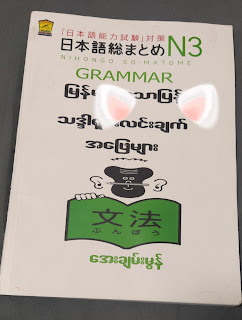
 Sou Matome N3 Grammar Myanmar translation ဒီမှာယူပါ